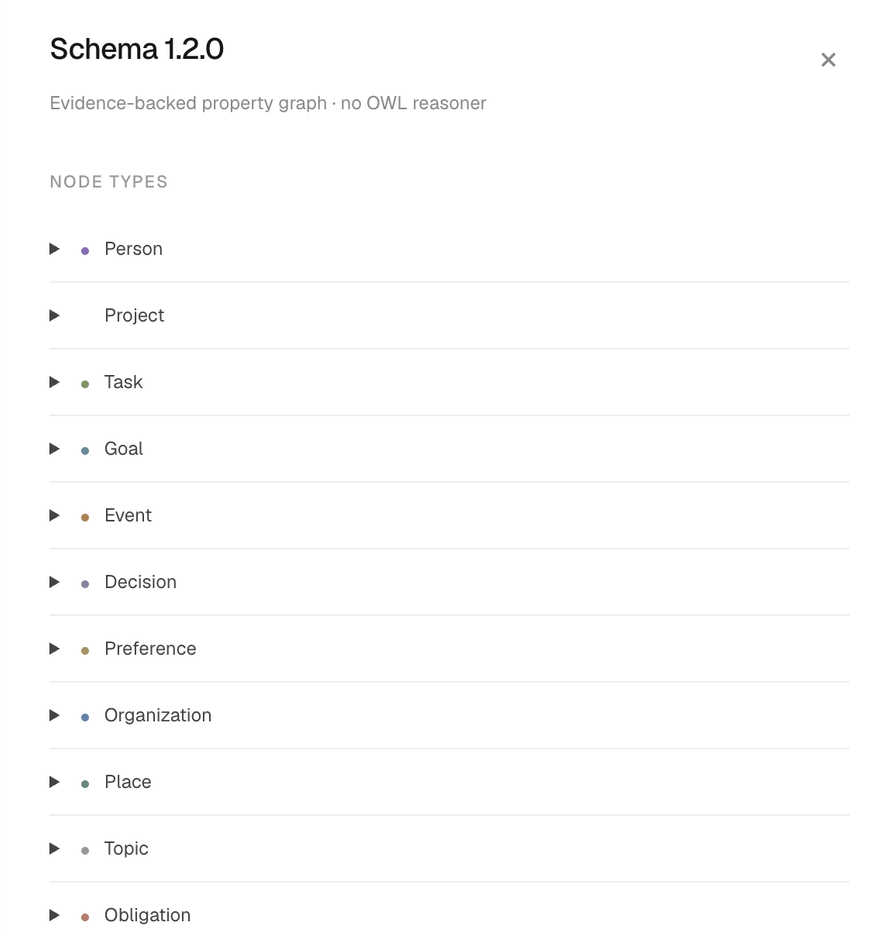
Memspace doesn't keep your chats. It keeps facts: typed things, typed relationships between them, and the exact words each fact came from.
The schema is defined in one place in the code (src/ontology.ts), validated with Zod, and served live to assistants through the get_ontology tool. The dashboard's Schema panel reads the same registry. It's an evidence-backed property graph. There's no OWL reasoner and no RDF export, and nothing is inferred behind your back.
01The rules
These ship with the schema and every assistant sees them. They're short on purpose.
- Private by default; membership is not sharing consent.
- Stable keys are scoped to the author; names do not merge people or projects.
- In a shared space, a person mentioned in a snapshot is shown as the space member it unambiguously names (the author, or the only member with that full or first name). Private graphs are never merged.
- Entity properties describe identity. Changing states, deadlines and preferences are claims.
- A shared claim is a snapshot; source revisions do not silently republish it.
- Evidence is an attributed excerpt, not independent verification.
- Forgetting a source removes its claims and publications. Retraction stops future reads.
- An explicit negation is a claim with negated=true; it is never stored as the affirmative fact.
- When no relationship fits, extraction may propose a provisional one. It is usable immediately, reused by later extractions, and approved, merged or rejected by an ontology reviewer.
02From a note to facts
Extraction runs on the server, so assistants don't need to call anything extra. A save looks like this:
- 1
Save
rememberorrevise_memorywrites the note and its revision. A save never waits on the model. - 2
Queue
The same write creates an
OntologyJobfor that exact revision. The save handler starts it right away. - 3
Propose
The model gets the note, the live schema, and up to 300 of the author's own current facts as candidates. No tools, no write access, nobody else's graph.
- 4
Check
Types, endpoints and allowed values must match the schema, every quote must appear in the note, and the note must still be on that revision.
- 5
Write
Valid facts are stored against the revision they came from, at most 24 entities and 20 facts per note. Invalid ones are counted and dropped.
- 6
Index and share
Facts get full-text and vector entries. If the note is already shared into a space, its facts are published there too.
A worker checks for unfinished jobs every five seconds. Each job is claimed with a 120-second lease, so two workers never run the same one, and retried with backoff up to five attempts. The lease and the note's revision are checked again after the model answers, so a note that was edited or forgotten mid-extraction never receives stale facts.
Every save returns a status your assistant can read back to you:
| Status | What it means |
|---|---|
structured | Facts were written. The receipt lists their IDs. |
no_supported_claims | Nothing in the note fit the schema. The note is kept and shows "Not in ontology". |
pending | Still running, or waiting to retry. |
failed | Five attempts didn't succeed. The owner can choose Retry ontology on the dashboard. |
superseded | The note changed while extraction ran. The newer revision gets its own job. |
not_configured | No extraction model is set up on this deployment. |
What never becomes a fact: hypotheticals, questions, role-play and quoted instructions. Learning something isn't having the skill, an assignment isn't acceptance, a visit isn't residence, and a wish to change jobs isn't new employment. Relative dates stay vague instead of being turned into made-up timestamps.
0313 types
Each type lists the relationships that can start from it. A type's properties describe identity only; anything that changes, like a status or a deadline, is a fact with its own source.
Person
A mentioned person. A name alone never links a platform account.
Project
An ongoing effort containing work, decisions and goals.
Task
An attributed work item. Assignment does not imply acceptance or completion.
Goal
A desired outcome supported by projects or tasks.
Event
A particular occurrence, distinct from a recurring preference.
Decision
A choice with attribution and supporting reasoning.
Preference
A person's preference, qualified by context rather than assumed universal.
Organization
An organization mentioned in authorized memory.
Place
A place relevant to a memory.
Topic
A subject used to connect otherwise related knowledge.
Obligation
A distinct reported debt or repayment obligation; never implies acceptance, a transfer or a calculated balance.
Item
A particular possession, product, document or service.
Routine
A recurring activity; separate from any one occurrence.
0449 relationships
Grouped by what they're for. Most link two types. A few hold a value instead, like a status, an amount or a timestamp; those show the value's format on the right.
| Relationship | From → to | Meaning |
|---|---|---|
KNOWS | person → person | Reported acquaintance; directional and never an authorization grant. |
FRIEND_OF | person → person | Reported friendship; do not infer mutual claims or sharing consent. |
FAMILY_OF | person → person | Reported family connection; use evidence for the exact role. |
PARENT_OF | person → person | Reported parent-child relationship; direction matters and does not imply custody or consent. |
SIBLING_OF | person → person | Reported sibling relationship; no reverse claim is silently authored. |
PARTNER_OF | person → person | Reported personal partnership, qualified by validity and evidence. |
COLLEAGUE_OF | person → person | Reported coworker relationship; employment at one organization does not establish this automatically. |
REPORTS_TO | person → person | Reported work reporting line, distinct from an application role. |
| Relationship | From → to | Meaning |
|---|---|---|
WORKS_AT | person → organization | Reported employment, not organization membership or a future job wish. |
STUDIES_AT | person → organization | Reported study at an institution. |
MEMBER_OF_ORGANIZATION | person → organization | Reported organization membership; does not grant application access. |
WORKS_ON | person / organization → project | Reported involvement in an ongoing project; does not imply task acceptance. |
HAS_SKILL | person → topic | Reported skill, not a measured proficiency or verified qualification. |
HAS_ROLE | person = string | Reported job or family role in its evidence context; not an application permission. |
| Relationship | From → to | Meaning |
|---|---|---|
LIVES_IN | person → place | Reported residence; visiting a place does not establish residence. |
LOCATED_AT | event / organization / item → place | Place associated with this particular event, organization or item. |
HAS_PARTICIPANT | event → person | Reported participant in a particular event; no attendance confirmation implied. |
ORGANIZED_BY | event → person / organization | Reported event organizer. |
STARTS_AT | event = datetime | Explicit start of a particular event. |
ENDS_AT | event = datetime | Explicit end of a particular event. |
OCCURRED_AT | event = datetime | When an event occurred or is scheduled. |
| Relationship | From → to | Meaning |
|---|---|---|
WANTS | person → goal | A person's desired goal, not a decision, acceptance or completed action. |
CONCERNED_ABOUT | person → goal / topic / event / project / task / obligation | A reported concern; does not imply a diagnosis. |
CONTRIBUTES_TO | task / project → goal | Work supports a desired outcome. |
| Relationship | From → to | Meaning |
|---|---|---|
PART_OF | task / event / decision → project | Work or context belongs to a project. |
ASSIGNED_TO | task → person | Reported assignment; does not imply acceptance. |
ACCEPTED_BY | task → person | An explicit acceptance of a task. |
COMPLETED_BY | task → person | Who reportedly completed a task. |
DEPENDS_ON | task → task | The subject requires the target; direction matters. |
HAS_STATUS | task / project / goal = string: proposed, accepted, in_progress, blocked, completed, cancelled | An attributed state; a new report does not silently override another author. |
DUE_AT | task / goal / obligation = datetime | A reported deadline with an explicit timezone. |
| Relationship | From → to | Meaning |
|---|---|---|
PREFERENCE_OF | preference → person | Whose preference this is. |
APPLIES_TO | preference / decision → project / task / topic / organization | Context limits the meaning of a preference or decision. |
HAS_VALUE | preference / decision = string | The contextual content of a preference or choice. |
LIKES | person → item / topic / place / routine | Reported liking; preserve context and time. |
DISLIKES | person → item / topic / place / routine | Reported dislike; not inferred from a single event. |
PRACTICES | person → routine | Reported recurring activity. |
HAS_FREQUENCY | routine = string | Reported recurrence in words; not a scheduler or reminder registration. |
| Relationship | From → to | Meaning |
|---|---|---|
DECIDED_BY | decision → person | Who reportedly made a choice. |
HAS_REASON | decision = string | The evidence-backed reason for a choice. |
| Relationship | From → to | Meaning |
|---|---|---|
OWNS | person / organization → item | Reported possession, not application ownership or access. |
USES | person / organization → item | Reported use of an item or service. |
| Relationship | From → to | Meaning |
|---|---|---|
OWES | person → obligation | Debtor points to a distinct obligation, not directly to a creditor. Use OWED_TO on that obligation. Separate debts need separate keys. |
OWED_TO | obligation → person | The reported creditor of this particular obligation. |
FOR_CONTEXT | obligation / goal / routine → organization / event / item / topic / project | Context of a particular obligation, goal or routine. |
HAS_AMOUNT | obligation = decimal | Reported amount, as an exact nonnegative decimal string. Never infer remaining balance or aggregate currencies. |
HAS_CURRENCY | obligation = currency | Explicit ISO 4217 currency code; dollars alone does not establish USD. |
HAS_PAYMENT_STATUS | obligation = string: outstanding, partially_paid, settled, disputed, cancelled | Reported state of a particular obligation; no automatic payment or balance inference. |
| Relationship | From → to | Meaning |
|---|---|---|
ABOUT | any type → any type | A deliberately broad topic connection; use a more precise relation when possible. |
05Identity and time
Every entity has a key scoped to its author. Two people using the same name, or even the same key, don't merge. When you say "I" or "me", the model uses a stable self key for you, the author, never for the assistant you're talking to.
Reusing an existing entity needs more than a matching name. It has to be the same note's earlier revision, or the new note has to quote context that singles out exactly one existing candidate. Events, tasks and debts are only reused within the same note's history, so two trips or two loans stay separate.
Facts carry three kinds of time. recordedAt is when it was captured. Optional validFrom and validUntil say when it applies, with validUntil exclusive. Deadlines and event times need an explicit time zone; if the note didn't give one, the fact isn't written with a guessed one.
A correction names the fact it supersedes, and only the same author can supersede their own fact. If someone else reports something different, both stay, each attributed to whoever said it.
06Sharing
There are two ways facts reach a space.
- Share one fact.
publish_claimcopies a single fact into a space as a frozen snapshot: the assertion, its quote, who said it, and the entities' types and names. Private aliases, the source note's ID and the correction history stay out. Later edits to your note don't silently change what teammates already received. - Share a whole note.
share_memoryshares the note and publishes its current facts alongside it. When the note is revised or re-extracted those snapshots are replaced, and when you take the note back they're withdrawn. A fact you'd already shared on its own is left alone.
Inside a space, a person mentioned in a shared fact resolves to the member it names: the author themselves, or the only member whose full or first name matches. That member becomes one node, with what the author actually wrote kept as an alias. If the name is ambiguous it links to nobody, and everything is re-linked whenever someone joins or is removed.
Reads always need current membership. Retracting stops future reads, and forgetting a note scrubs its facts and anything published from them. Content another assistant already showed someone can't be pulled back.
Afshal is leading the Apollo pricing review.
mentions "Afshal"Afshal is preparing the Apollo pricing deck.
mentions "Afshal Gulam"KnowledgeEntity. See it in FalkorDB.07Growing the schema
When no relationship fits something a person actually said, extraction may propose new ones, up to three per note. Each proposal is normalized to an UPPER_SNAKE name between 3 and 40 characters, and anything that reads like an instruction is rejected.
Near-duplicates collapse. A proposal reuses an existing relationship with the same root, so CAN_SPEAK becomes SPEAKS, or a broader or narrower one whose types already fit. A provisional relationship is only saved once a valid fact actually uses it. Each author can add five a day, and at most 100 can wait for review. Later extractions see the provisional list, but as data, not instructions.
Reviewers are set per deployment with ONTOLOGY_ADMIN_EMAILS. From the dashboard's Schema panel they can:
- Approve it, making it a normal relationship.
- Merge it into another relationship whose types fit every existing fact. The facts and their space snapshots are rewritten.
- Reject it. Its facts are retired, their snapshots withdrawn and their search entries deleted, and the same root can't be proposed again.
Review shows names, types and counts only. A reviewer never sees anyone's facts or quotes.
08Limits we know about
- A quote shows where a fact came from. It doesn't prove the model understood the sentence, and nothing here verifies real-world truth.
- Matching against existing entities looks at the author's 300 most recent facts and 40 candidates, so older entities can be missed and created again.
- Names alone never merge. The same project in four notes can appear as four nodes until a later note gives enough context to connect them.
- Older notes aren't reinterpreted when the schema changes. The owner can retry extraction on notes marked "Not in ontology".
- Recall expands one hop. There's no multi-hop reasoning, formal inference, or automatic conflict resolution between authors.